
A shop on your link-in-bio page
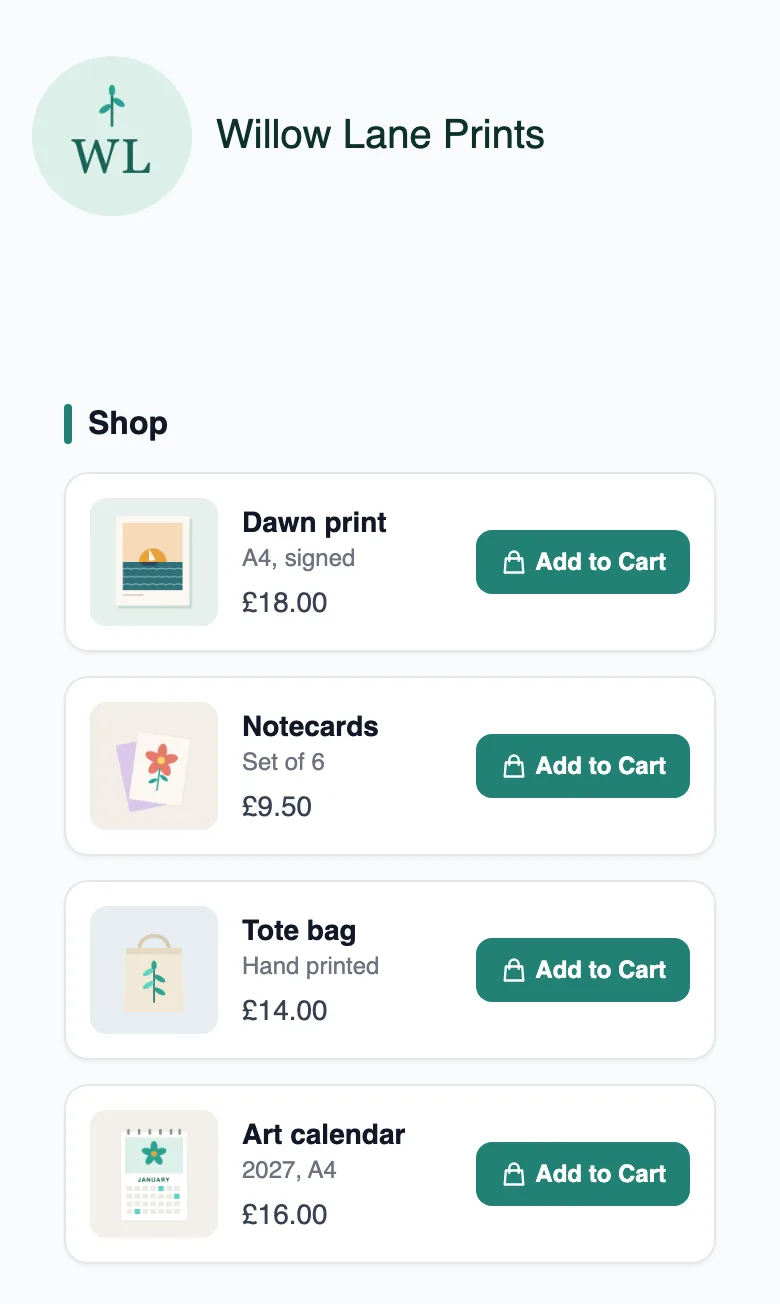
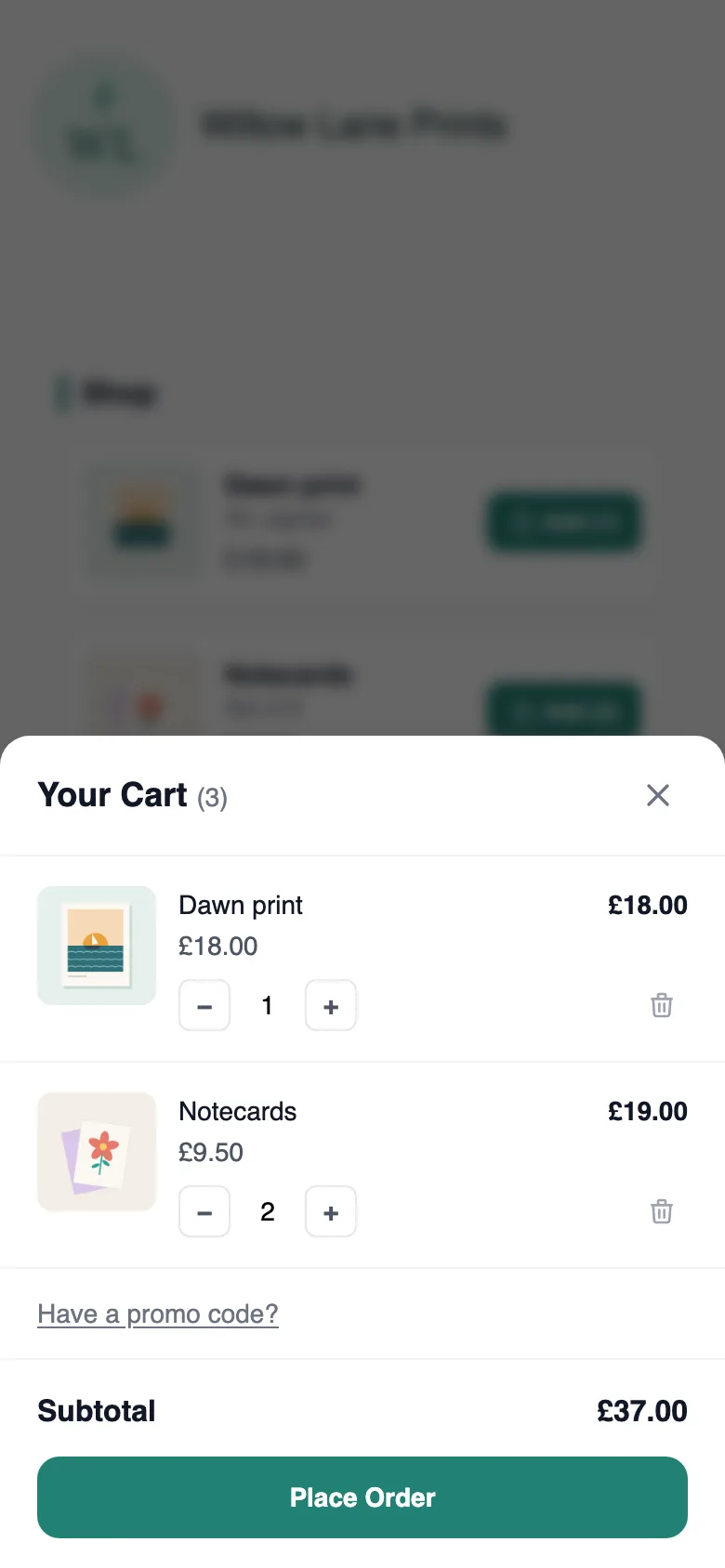
The MinglyLink shop puts your products on your bio page: visitors add several items to a cart and place one order, which lands in your orders dashboard. It is on the one free plan, and buyers pay you directly, so the MinglyLink fee on those payments is 0%.
What it does
- Buyers add several products to a cart and place one order on your page.
- Sell physical or digital products; you send digital files yourself. Services are booked through your booking calendar.
- Each product has its own page and link (ming.ly/name/shop/…).
- Create your own promo codes: a percentage off the whole cart. You can have up to 20 codes.
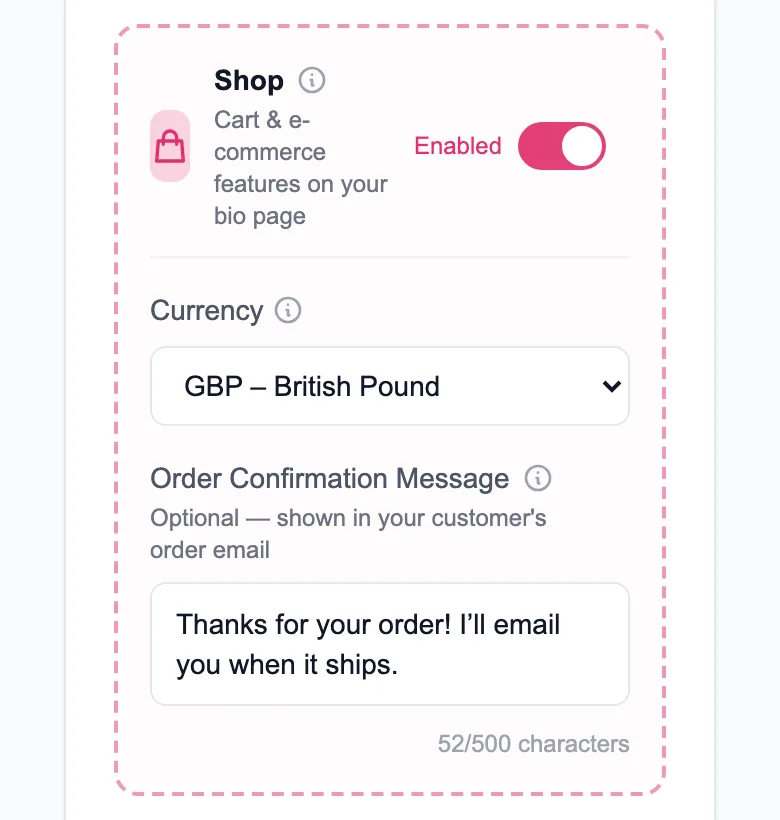
- Each shop sells in one currency you choose from 30, including GBP, EUR, CHF, USD, CAD, SAR and AED; prices, orders and emails show it.
- You get an email for every new order.
Limits
- Up to 100 items on a page (products, link cards, services, social links and section headers) and 12 quick links.
- A buyer can order up to 99 of one item per order line.
- Not included yet: card payments through MinglyLink, automatic file delivery, stock tracking, shipping rates and order export.
- MinglyLink doesn’t calculate, add or collect sales tax or VAT: buyers see the prices you enter.
- There’s no returns feature, and buyers can’t cancel an order themselves: they contact you, and you handle returns and refunds directly.
How payments work
MinglyLink takes 0% of your sales. Buyers place the order on your page and pay you directly, however you agree: cash on delivery, bank transfer or your own payment link, outside MinglyLink. When card payments through MinglyLink launch, they will carry the card processor’s fee plus a small MinglyLink fee; orders paid to you directly stay at 0%.
Set it up
- Sign up free and claim your page address, ming.ly/yourname.
- In Studio, open Settings, turn on Shop and choose your shop currency.
- Open Links → Showcase and add your products with a title, a price and photos.
- Paste your ming.ly link into your Instagram or TikTok bio.
- When an order comes in, you get an email; manage it in Studio → Orders.
Frequently asked questions
Is the MinglyLink shop free?
One plan, and it’s free: the shop, booking, analytics, QR codes and email capture are included. 0% MinglyLink fee: buyers pay you directly (cash, transfer or your payment link).
How do buyers pay?
MinglyLink takes 0% of your sales. Buyers place the order on your page and pay you directly, however you agree: cash on delivery, bank transfer or your own payment link, outside MinglyLink. When card payments through MinglyLink launch, they will carry the card processor’s fee plus a small MinglyLink fee; orders paid to you directly stay at 0%.
Can I sell digital products?
Sell physical or digital products; you send digital files yourself. Services are booked through your booking calendar.
Does the shop handle shipping costs or VAT?
No. MinglyLink doesn’t calculate, add or collect sales tax or VAT: buyers see the prices you enter. Shipping rates aren’t calculated either: add any delivery cost to your prices or agree it with the buyer.
Can I offer discounts?
Yes. Create your own promo codes: a percentage off the whole cart. You can have up to 20 codes.
Every feature is on the one free plan
Links, a shop, orders, booking and an email list on one page.
Create your free shop