
An orders dashboard for your bio page
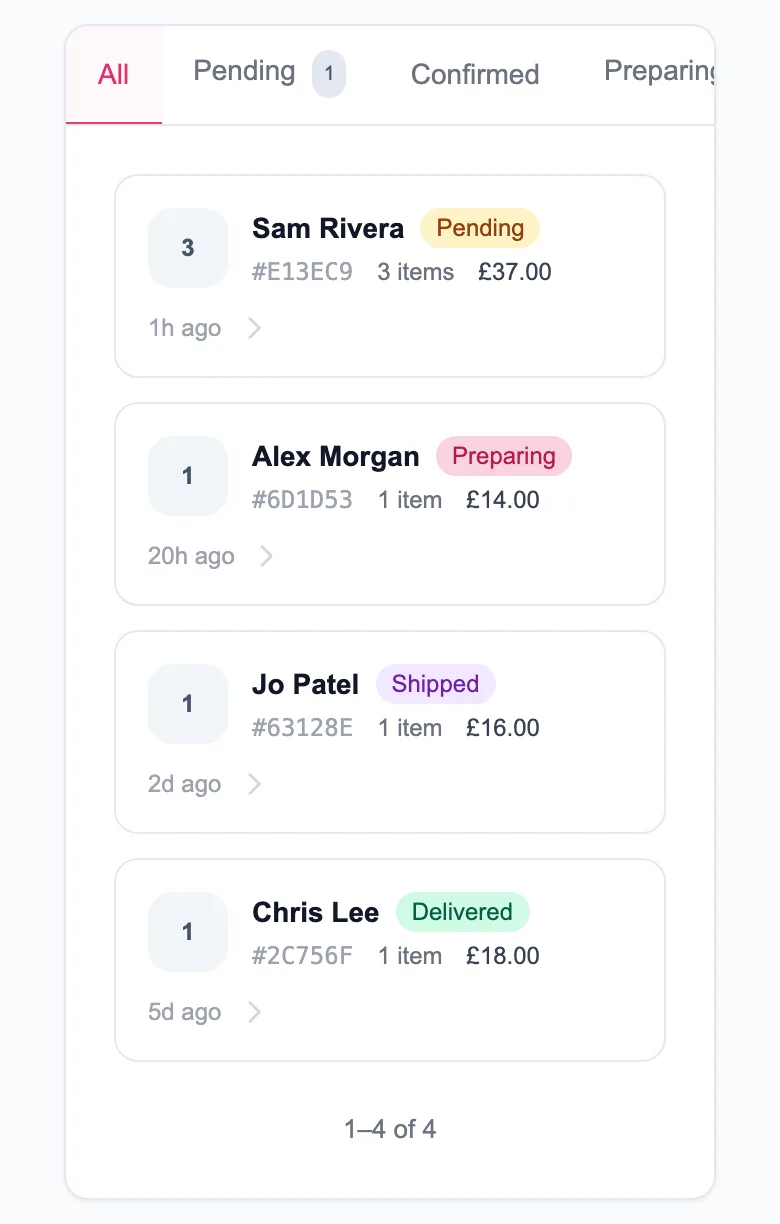
Every order placed on your MinglyLink page lands in one orders dashboard. You move it from Pending to Confirmed, Preparing, Shipped and Delivered, and the buyer gets an email at each step. It is free on the one plan; buyers pay you directly at a 0% MinglyLink fee.
What it does
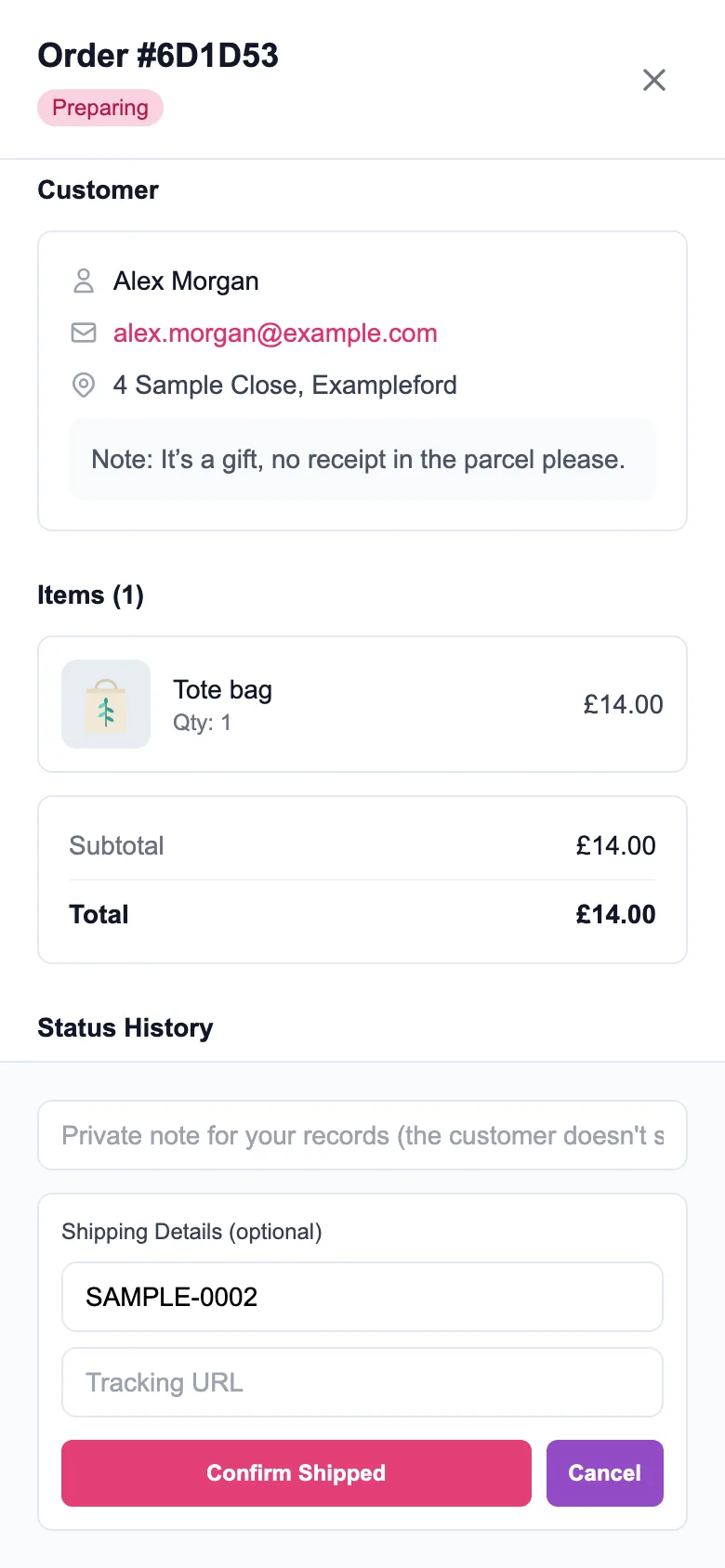
- Every order lands in your orders dashboard, where you move it from Pending to Confirmed, Preparing, Shipped and Delivered, or cancel or reject it.
- The buyer gets an email when they order, with a tracking link, and one each time you update the order. Replies go to you.
- You get an email for every new order.
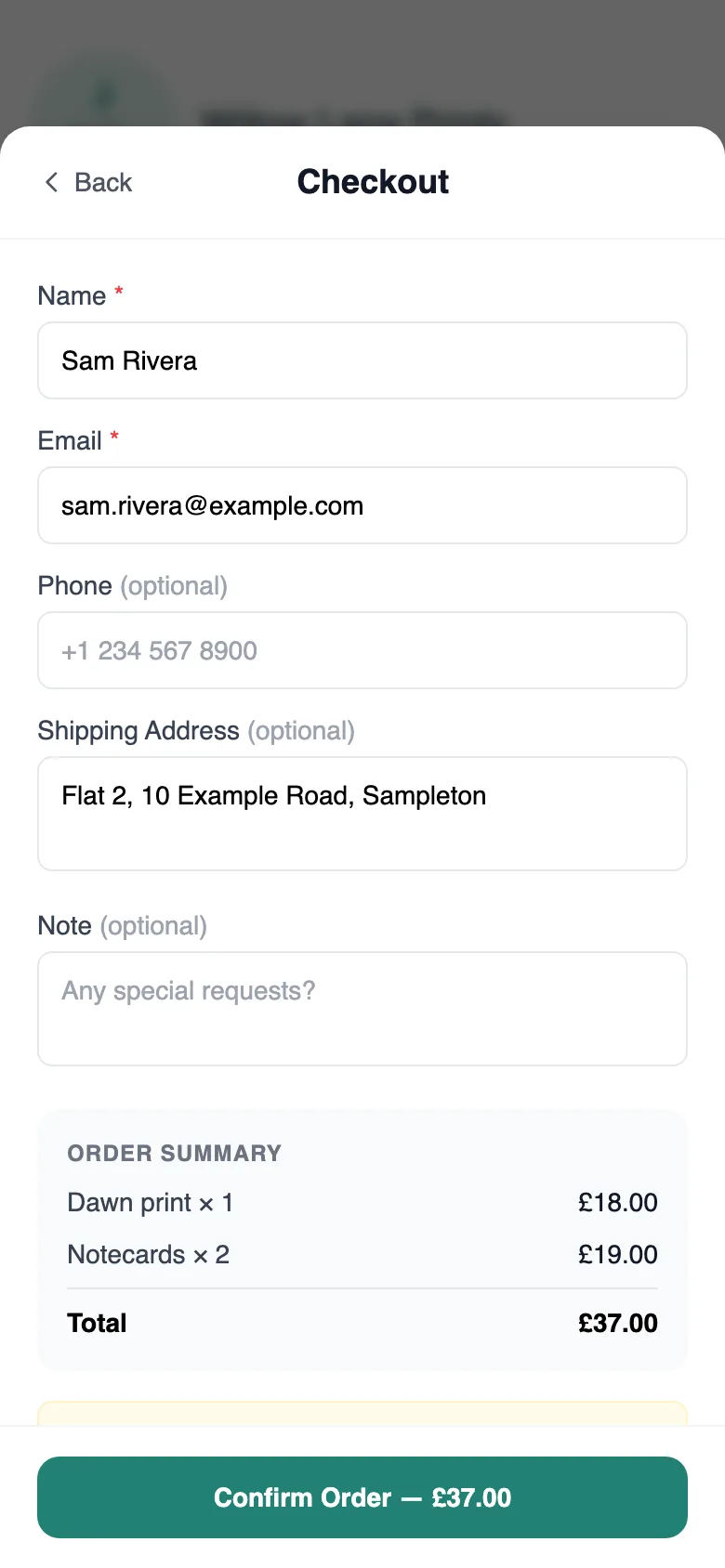
- An order carries the items and quantities, the buyer’s name and email and, if given, a phone number, a shipping address and a note.
- When you mark an order Shipped, you can add a tracking number and link for the buyer.
- Buyers order with their name and email; they don’t need a MinglyLink account.
Limits
- There’s no returns feature, and buyers can’t cancel an order themselves: they contact you, and you handle returns and refunds directly.
- Not included yet: card payments through MinglyLink, automatic file delivery, stock tracking, shipping rates and order export.
- To stop spam, up to 5 orders an hour can come from one IP address.
How payments work
MinglyLink takes 0% of your sales. Buyers place the order on your page and pay you directly, however you agree: cash on delivery, bank transfer or your own payment link, outside MinglyLink. When card payments through MinglyLink launch, they will carry the card processor’s fee plus a small MinglyLink fee; orders paid to you directly stay at 0%.
Set it up
- Turn on Shop in Studio → Settings and add products under Links → Showcase.
- When an order arrives, you get an email with the buyer’s details.
- Open Studio → Orders and move the order through its statuses as you prepare it.
- When you mark it Shipped, add a tracking number and link if you have them.
- Cancel or reject an order from the same screen if you can’t fulfil it.
Frequently asked questions
Do buyers need an account to order?
No. They order with their name and email (a phone number, address and note are optional) and get an email with a link to follow the order.
Can buyers track their order?
The buyer gets an email when they order, with a tracking link, and one each time you update the order. Replies go to you.
Can buyers cancel or return an order?
There’s no returns feature, and buyers can’t cancel an order themselves: they contact you, and you handle returns and refunds directly.
Can I export my orders?
Not yet. Order export isn’t included; you see and update every order in Studio → Orders.
Every feature is on the one free plan
Links, a shop, orders, booking and an email list on one page.
Create your free shop